








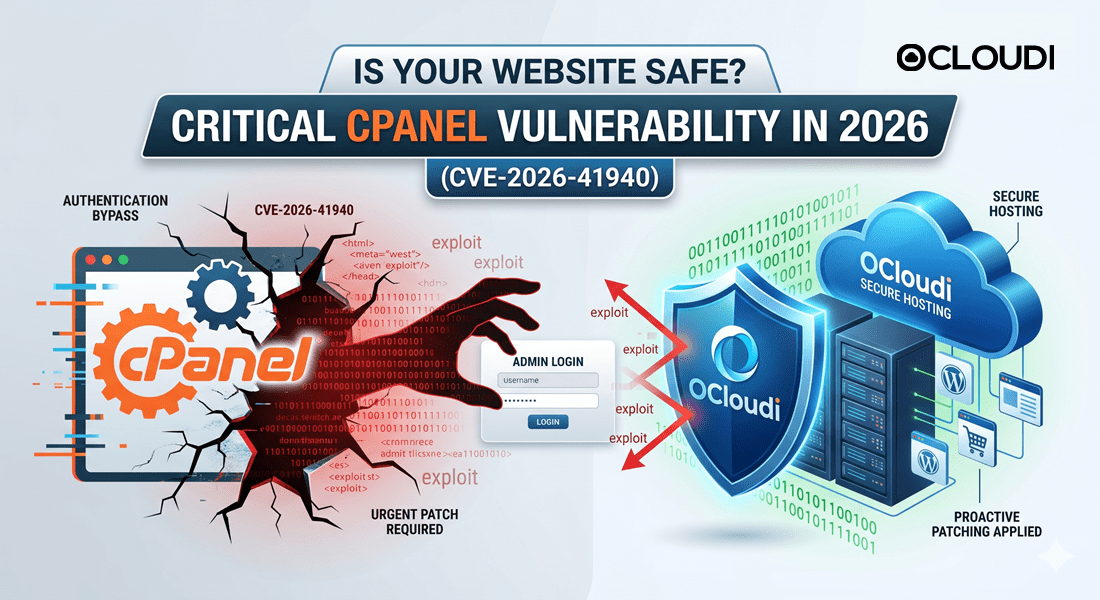


Imagine waking up to discover your business website is completely offline, your client databases have been wiped, and your administrative passwords no longer work. For millions of website owners worldwide, this nightmare became an immediate threat following the discovery of a catastrophic security flaw. A critical cPanel security vulnerability in 2026 has sent shockwaves through the global web hosting ecosystem, leaving unpatched servers completely exposed to unauthorized takeovers.
Tracked globally as CVE-2026-41940, this security flaw represents an unauthenticated authentication-bypass vulnerability within cPanel and WebHost Manager (WHM). Because cPanel serves as the foundational control panel for a massive chunk of the internet’s hosting infrastructure, the implications of this flaw are staggering. Attackers successfully exploiting this weakness can bypass standard login screens entirely, gaining root-level administrative access to web servers without ever needing a username or password.
The Cybersecurity and Infrastructure Security Agency (CISA) added this flaw to its Known Exploited Vulnerabilities catalog, confirming evidence of active exploitation. For small businesses, digital agencies, and eCommerce stores across India and globally, ignoring this threat is no longer an option. This comprehensive technical guide breaks down exactly how the exploit operates, who is at risk, and how choosing a secure partner like OCloudi ensures your digital assets remain protected against modern cyber threats.
📌 Key Takeaways: The cPanel CVE-2026-41940 Crisis
- The Core Threat: CVE-2026-41940 is a maximum-severity authentication bypass flaw allowing attackers to seize full administrative control over cPanel/WHM ecosystems.
- Active Exploitation: CISA has confirmed that threat actors are actively weaponizing this vulnerability in the wild, with exploit attempts tracking back to late February.
- Scope of Impact: All supported software versions running after v11.40—including specialized architectures like DNSOnly and WP Squared—are vulnerable until patched.
- Immediate Mitigation: System administrators and hosting providers must immediately force-update their core cPanel binaries to the latest secure vendor builds.
- The OCloudi Defense: Customers hosted on OCloudi’s infrastructure remain secure due to automated upstream hot-patching, robust firewall layers, and isolated server virtualization.
What is cPanel and WHM? Understanding the Control Plane
To fully comprehend the catastrophic potential of the cPanel security vulnerability in 2026, one must understand the role these software suites play. Web hosting systems rely heavily on centralized control software to manage complex server tasks through an accessible graphic interface. Without these tools, managing a modern web server would require advanced command-line expertise for every minor adjustment.
The Architecture of cPanel
cPanel is an online Linux-based web hosting control panel that provides a graphical interface and automation tools designed to simplify the process of hosting a website. It operates at the user level, allowing website owners to manage individual environments easily. Through cPanel, users control:
- File Management: Uploading, editing, and shifting core website directories via web-based tools.
- Database Administration: Configuring MySQL and PostgreSQL databases critical for content management systems like WordPress.
- Domain Configuration: Provisioning add-on domains, managing subdomains, and adjusting complex Zone Files (DNS).
- Email Infrastructure: Creating business email addresses, managing routing, and establishing cryptographic anti-spam frameworks like DKIM and SPF.
The Role of WebHost Manager (WHM)
While cPanel handles the individual website, WebHost Manager (WHM) is the overarching administrative engine that operates at the root level of the server. WHM provides server administrators, hosting companies, and resellers with the high-level tools needed to manage entire clusters of websites.
Through WHM, an administrator creates and modifies hosting packages, sets global server resource limits, adjusts security protocols, and monitors overall hardware health. Because WHM possesses absolute root-level execution rights over the entire server, a compromise of WHM implies a total compromise of every single website hosted on that underlying infrastructure.
What is CVE-2026-41940? The Technical Breakdown
At its core, CVE-2026-41940 is classified as a critical unauthenticated authentication-bypass vulnerability. In standard web security architectures, an authentication mechanism acts as a strict digital gatekeeper, validating credentials before granting access to resources. This specific flaw completely subverts that mechanism within the cPanel/WHM management layer.
[Attacker Request] ---> [Bypass Defective Logic] ---> [Instant Root/Admin Access] ---> [Full Server Control]
The underlying issue stems from an architectural flaw in how specific internal authentication paths process incoming session tokens and API validation protocols. Under specific conditions, the software inaccurately evaluates forged or corrupted handshake requests, mistakenly identifying them as trusted, fully authenticated internal processes.
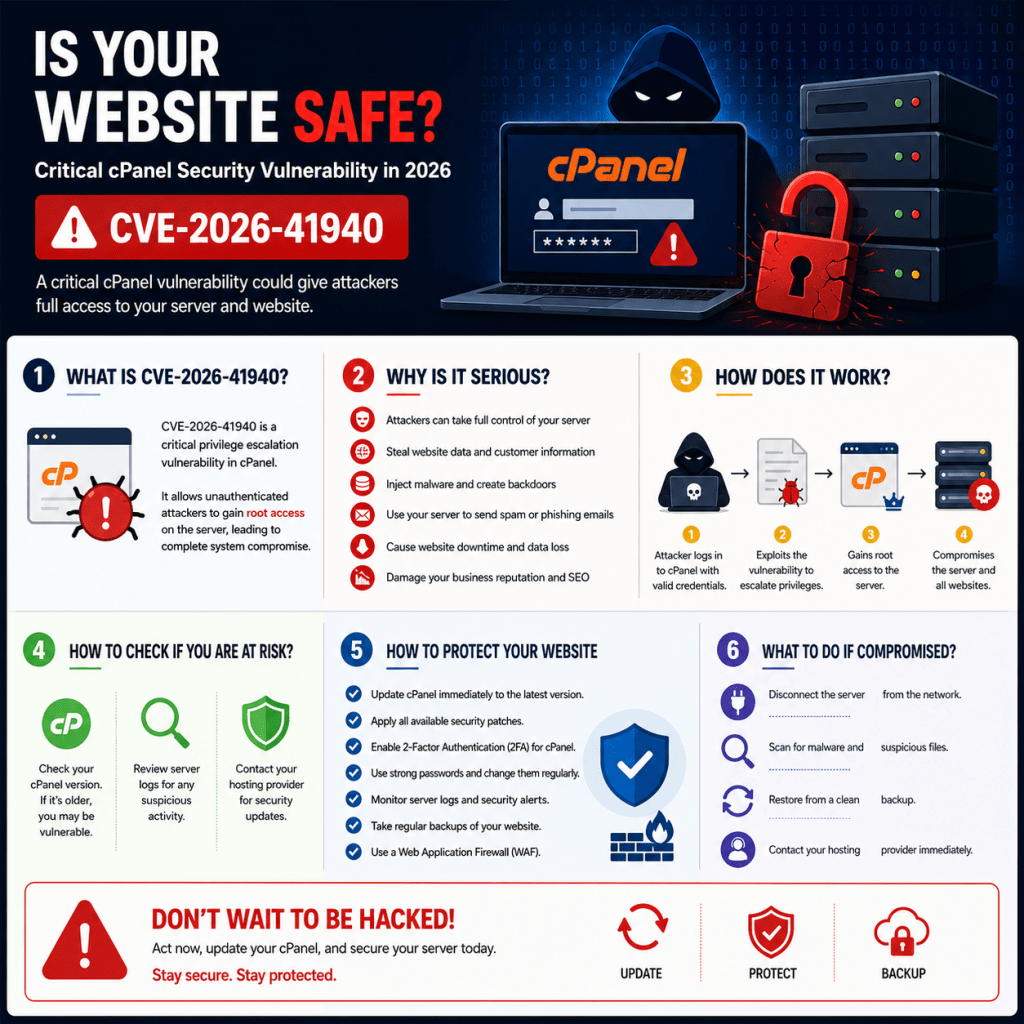
Because the flaw executes before login validation occurs, an external attacker does not need an existing user profile on the target machine. By sending a precisely structured, malicious payload directly to the port hosting cPanel or WHM services (typically ports 2083, 2087, or 2086), the attacker forces the application to grant an active, fully privileged administrative session.
This gives the remote threat actor immediate access to the WHM interface or underlying API utilities. From this vantage point, the attacker effectively supersedes the legitimate server administrator, executing commands with total authority over the operating system.
Why This Vulnerability is Critical
Cybersecurity researchers have designated CVE-2026-41940 as an existential threat to modern web hosting infrastructure due to its combination of high exploitability and severe impact. The flaw requires zero user interaction and no prior privileges, making it highly automated and easy to weaponize at scale.
- Mass Zero-Day Exploitation: Cybercriminals utilize automated scanning networks to crawl millions of public IP addresses, seeking unpatched cPanel login ports. Once identified, the exploit payload is delivered automatically, compromising servers in seconds.
- Complete Infrastructure Takeover: Because WHM controls the server root, attackers don’t just compromise a single site; they gain access to the underlying OS kernel. This allows them to read configuration files, extract clear-text databases, and inject backdoors.
- Weaponization of AI in Vulnerability Discovery: Leading cybersecurity analysts note that the rapid discovery and weaponization of this flaw highlights an alarming trend: threat actors increasingly leverage specialized AI models to locate zero-day logic flaws in enterprise codebases faster than traditional human audit cycles can patch them.
- Total Failure of Traditional Local Defenses: Because this attack exploits a structural logic flaw within the trusted cPanel binary itself, standard localized security systems like basic web application firewalls (WAFs) or local brute-force blacklists (like Fail2ban) can easily be bypassed unless explicitly updated to recognize these unique payload configurations.
Who is Affected? Assessing Your Exposure Grid
The blast radius of the cPanel security vulnerability in 2026 covers an immense cross-section of the global internet. Because cPanel has remained an industry standard for decades, its deployment stretches across every tier of web hosting, from small local blogs to massive corporate networks.
+-------------------------------------------------------------------------------+
|                        CVE-2026-41940 AFFECTED SYSTEMS                        |
+-------------------------------------------------------------------------------+
|  * All Supported cPanel & WHM Versions Post-11.40                             |
|  * cPanel DNSOnly Environments (Distributed Nameserver Infrastructure)        |
|  * WP Squared Platforms (Specialized WordPress-Centric Node Deployments)       |
|  * Multi-Tenant Shared Hosting Environments Running Unpatched Base Images     |
|  * Unmanaged Virtual Private Servers (VPS) & Dedicated Bare-Metal Hardware     |
+-------------------------------------------------------------------------------+
Any organization, developer, or business owner operating on a Linux environment running cPanel versions deployed or maintained over recent cycles is vulnerable if left unpatched. The risk extends across several specific platform configurations:

1. Multi-Tenant Shared Hosting Environments
In a standard shared hosting architecture, hundreds of independent websites sit on a single physical or virtualized server instance. If the underlying cPanel/WHM host operating system is compromised via CVE-2026-41940, the attacker gains access to the entire file system. This breaks down tenant isolation entirely, allowing the attacker to cross-contaminate every website on that server.
2. cPanel DNSOnly Installations
Organizations running cPanel’s dedicated DNSOnly tier to power distributed nameserver clusters are equally vulnerable. A compromise here allows threat actors to alter global DNS zones, silently redirecting traffic intended for legitimate domains to malicious phishing pages or cloned credential-harvesting nodes.
3. WP Squared Clusters
Even modern, specialized turn-key platforms optimized exclusively for WordPress—such as WP Squared deployments—rely on these core authentication libraries. Consequently, they inherit the exact same vulnerabilities, exposing high-performance WordPress networks to remote execution risks.
Real-World Impact and Exploitation Reports
According to incident response data from cybersecurity firms, exploit attempts targeting CVE-2026-41940 began surreptitiously in late February 2026. This indicates that advanced persistent threat (APT) groups discovered and weaponized the vulnerability weeks before public disclosure and subsequent vendor patching on April 28, 2026.
Major global hosting conglomerates were forced to temporarily block access to all public-facing cPanel and WHM management ports while applying emergency updates. In spite of these industry interventions, millions of legacy, unmanaged, or self-hosted systems remain exposed online.
The real-world consequences for impacted organizations have been severe:
- Ransomware Deployment: Attackers use root privileges to encrypt the entire home directory of hosted accounts, demanding hefty ransoms to release operational data.
- Data Exfiltration: Sensitive customer directories, private cryptographic keys, and database credential configurations are pulled for sale on dark web marketplaces.
- SEO Poisoning and Spam Injection: Compromised sites have malicious scripts injected into their headers. These scripts silently redirect search engine crawlers to fraudulent networks, destroying the victim site’s organic search rankings and domain authority.
How Attackers Exploit the Flaw
To understand how an attacker exploits CVE-2026-41940, we must look at the sequence of events during a successful breach. The attack progresses rapidly through several highly coordinated phases:
Phase 1: Automated Footprint Reconnaissance
Using high-speed scanning networks, automated botnets map public IP spaces to identify active web servers running cPanel or WHM services. They detect these by scanning for default administration ports, such as 2082, 2083, 2086, and 2087.
Phase 2: Payload Delivery and Logic Bypass
Once an unpatched cPanel interface is discovered, the attacker sends a malformed HTTP request to the login processing subsystem. This request leverages the authentication bypass flaw, confusing the internal validation logic into approving the request without a valid username and password combination.
Phase 3: Administrative Session Creation
The server mistakenly treats the attacker’s connection as a pre-authenticated root session, generating a privileged session token. This token grants the attacker full access to the WebHost Manager (WHM) or cPanel administrative dashboard.
Phase 4: Payload Execution and Backdoor Installation
With root access secured, the attacker uses the terminal or file manager to upload persistent web shells, modify SSH configuration files, and install hidden backdoors. This ensures they maintain access even if the administrator updates cPanel later on.
Warning Signs Your Server May Be Compromised
If your website is hosted on an unpatched or delayed server architecture, you must immediately audit your system logs for indicators of compromise (IoCs). The following warning signs indicate that an attacker may have exploited the cPanel security vulnerability in 2026 against your infrastructure:
- Unfamiliar Administrative Accounts: Check your WHM and cPanel user accounts list. The presence of newly created users, unexpected reseller profiles, or unauthorized SSH keys in your root directory indicates an active breach.
- Anomalous Log Entries: Inspect your system log files located at
/usr/local/cpanel/logs/access_logand/var/log/secure. Look for successful logins originating from unfamiliar geographic locations, unexpected IP addresses, or sessions containing unusual API argument strings. - Unexplained Performance Degradation: A sudden spike in CPU and RAM usage often indicates that an attacker has installed unauthorized background processes, such as cryptocurrency miners or mass outbound email spam utilities.
- Sudden File Discrepancies: Automated file integrity monitoring systems may flag sudden alterations to critical core configuration assets, such as your
.htaccessrouting maps, index files, or system cron jobs.
Immediate Actions Website Owners Should Take
If you manage your own server or suspect your current hosting provider hasn’t taken action, you must execute these immediate mitigation steps to secure your environment:
Step 1: Force an Immediate System Upgrade
If you operate a Virtual Private Server (VPS) or a dedicated bare-metal system where you maintain root access, manually run the cPanel update utility from your secure command-line interface. Use the following sequence to force an immediate software check and binary update:
Bash
/usr/local/cpanel/scripts/upcp --force
Verify that your running build matches the secure releases provided by cPanel post-April 28, 2026. If your system is running an end-of-life operating system that prevents updates, migrate your data to a secure environment immediately.
Step 2: Restrict Management Port Visibility
Block public access to your administrative control plane. Configure your local software firewalls (such as ConfigServer Security & Firewall – CSF) to restrict access to ports 2082, 2083, 2086, and 2087. Allow access only from trusted, static IP addresses or through an authenticated Virtual Private Network (VPN) connection.
Step 3: Audit Active Administrative Access Sessions
Log into WHM and navigate to the “List Accounts” and “Show Accounts Over Quota” utilities to search for anomalies. Next, check the “Manage Root SSH Keys” module to ensure no unauthorized public keys have been injected into your server’s root profile. Terminate all active sessions that cannot be verified.
Detailed Website Security Checklist
Securing an online business requires a multi-layered security strategy. Use this comprehensive checklist to harden your website and hosting environment against modern exploitation vectors.
| Security Focus Area | Required Action Item | Implementation Frequency |
| Core Software | Apply all security patches to cPanel, WHM, and the base operating system. | Immediate / Automated |
| Access Control | Enforce Multi-Factor Authentication (MFA) across all WHM, cPanel, and CMS profiles. | Mandatory For All Users |
| Network Security | Implement IP allowlisting for root logins and place administration ports behind a VPN. | Continuous |
| Encryption | Deploy end-to-end TLS/SSL certificates and enforce strict HTTPS redirection. | Continuous |
| Data Protection | Configure automated daily backups stored offsite in an isolated cloud bucket. | Automated Daily |
| Credential Safety | Enforce strong, random passwords and prohibit credential reuse across platforms. | Enforced via Policy |
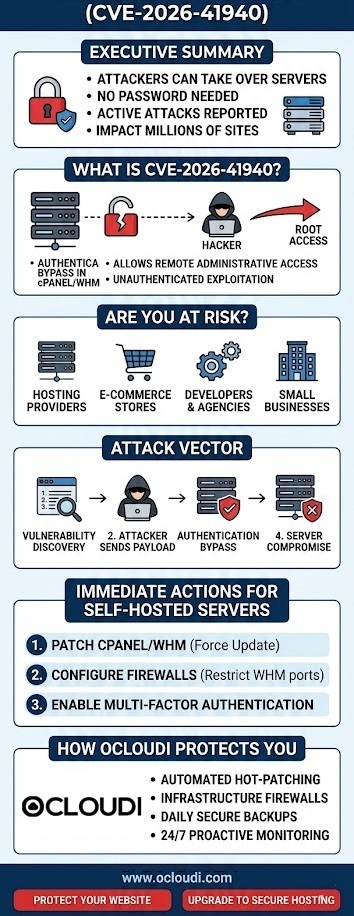
How OCloudi Protects Customers Against Cyber Threats
When critical vulnerabilities like CVE-2026-41940 emerge, the difference between a secure business and a compromised website comes down to your hosting provider’s proactive defense strategy. At OCloudi, we view web hosting security as an active, round-the-clock commitment rather than a passive setting.
                  +-----------------------------------+
                  |  Enterprise Edge: Cloudflare/WAF  |
                  +-----------------------------------+
                                    |
                  +-----------------------------------+
                  |   OCloudi Internal Firewalls &    |
                  |     Malware Detection Engines     |
                  +-----------------------------------+
                                    |
                  +-----------------------------------+
                  | Isolated Container Virtualization |
                  |  (No Tenant-to-Tenant Contam.)   |
                  +-----------------------------------+
                                    |
                       [Secure Client Website]
Our infrastructure engineering teams responded immediately when the cPanel security vulnerability in 2026 was first discovered. Because we actively monitor upstream security intelligence feeds, our systems engineers deployed virtual patches and firewall rules to intercept known CVE-2026-41940 payload configurations before public exploits even hit the web.
OCloudi users did not have to manually update their environments or worry about midnight server configurations. Our automated systems verified and applied the secure cPanel builds across our entire cluster, keeping client environments uninterrupted and fully protected. This quick response highlights the core advantage of hosting with a managed provider like OCloudi: we handle complex system administration and infrastructure security, allowing you to focus entirely on scaling your business.
OCloudi Security Features and Infrastructure
We have built our secure web hosting services in India and global cloud nodes on an enterprise-grade framework designed to mitigate risks long before they reach your application layer. Choosing OCloudi gives you access to a robust ecosystem of built-in security features:
Proactive Patching and Vulnerability Management
We don’t wait for standard maintenance windows to address zero-day threats. Our automated tracking systems monitor vendor updates around the clock, allowing us to apply hot-patches to core server binaries without causing downtime for your website.
Next-Generation Web Application Firewalls (WAF)
Every megabyte of data traveling to our servers passes through advanced firewall layers. These systems analyze incoming traffic patterns using machine-learning heuristics to identify and block malicious payloads, SQL injections, and authentication bypass attempts like CVE-2026-41940.
Complete Client Environment Isolation
To prevent cross-contamination in shared hosting environments, we utilize advanced kernel-level virtualization. This ensures every account sits within its own secure file container, meaning a vulnerability on an adjacent user’s site cannot impact your data or performance.
Automated Cloud Backups and Free SSL
Every account includes automated daily backups stored in secure, offsite cloud storage. If an external issue ever impacts your site, you can restore your entire environment with a single click. We also include free SSL certificates to ensure all user data traveling to and from your site is fully encrypted.
Shared Hosting vs. VPS vs. Cloud Security Considerations
Different hosting architectures require different approaches to security. Understanding these differences helps you select the right framework for your risk profile and operational needs.
Shared Hosting Environments
Shared hosting is highly cost-effective but places your site on a server alongside other users. In this setup, you are entirely dependent on your hosting provider’s ability to maintain server isolation and apply system updates. OCloudi’s shared hosting environments address this by enforcing strict container-level isolation across all accounts.
Virtual Private Servers (VPS)
A VPS provides dedicated virtual resources, giving you greater control over your environment. However, unmanaged VPS setups place the responsibility of security updates entirely on your shoulders. If you run cPanel on an unmanaged VPS, you must manually apply patches like the CVE-2026-41940 update to keep your server secure.
Cloud Infrastructure
Cloud hosting provides exceptional scalability and resilience by distributing your data across a cluster of virtual machines. This architecture prevents hardware failures from knocking your site offline and allows for rapid deployment of network-wide security updates, making it an ideal choice for high-traffic enterprise sites.
Conclusion: Securing Your Digital Future
The discovery of CVE-2026-41940 serves as a stark reminder that web security requires continuous monitoring and proactive management. A single unpatched flaw in your server management software can expose your entire business, customer records, and search engine rankings to malicious exploitation. Protecting your digital assets requires moving away from reactive security measures and choosing an environment built on defense-in-depth principles.
By partnering with OCloudi, you move your business to a secure, high-performance infrastructure designed to intercept threats long before they reach your application layer. With built-in features like containerized account isolation, automated cloud backups, next-generation firewalls, and 24/7 technical support, OCloudi keeps your website secure and operational around the clock. Don’t leave your website’s security to chance—switch to a hosting partner that prioritizes your protection.
Take Control of Your Website Security Today
Your website is the digital front door to your business, and it deserves enterprise-grade protection. Don’t wait for a critical vulnerability to disrupt your operations or compromise your data.
- Looking for Secure Hosting? Explore our high-performance Shared Hosting Packages equipped with automated patching and complete container isolation.
- Need Dedicated Resources? Upgrade your growing business to our managed VPS Hosting Solutions for complete root isolation and custom firewall configurations.
- Ready to Migrate? Contact our technical support team today to schedule your free, zero-downtime website migration to OCloudi’s secure cloud infrastructure.
Frequently Asked Questions
The vulnerability, tracked as CVE-2026-41940, is caused by an unauthenticated authentication bypass logic flaw within cPanel and WebHost Manager (WHM). This flaw allows external attackers to bypass traditional login verifications and gain administrative access without entering valid credentials.
If your hosting environment relies on cPanel or WHM versions deployed prior to the April 28, 2026 security patches, your site is vulnerable. You can verify your current version number directly in your cPanel dashboard or contact your hosting provider to confirm the patch has been applied.
Yes. While this flaw is not a vulnerability within the WordPress core files, it impacts the underlying server management software. If an attacker exploits cPanel to gain root access to the server, they can access and manipulate your WordPress databases, configuration files, and user records.
If your hosting provider has not applied the patch for CVE-2026-41940, your site remains highly vulnerable to automated attacks. You should immediately back up your files and migrate your data to a secure, proactive hosting provider like OCloudi.
An advanced, updated Web Application Firewall (WAF) can help detect and block known exploit payloads targeting cPanel ports. However, a WAF should be used as an additional layer of security rather than a replacement for applying the official vendor patch directly to your server.
Yes. Because the vulnerability allows for a full administrative takeover of the server, an attacker can access, read, and manipulate all email accounts, routing rules, and message databases managed through the compromised cPanel environment.
cPanel is the user-level interface used to manage individual website elements, such as file uploads, email creation, and database configurations. WHM is the root-level administrative panel used by server administrators to manage multiple cPanel accounts and configure global server settings.
If your backup files are stored on the same physical server as your cPanel installation, they can be accessed, corrupted, or deleted during a root takeover. To ensure your data is safe, backups should always be encrypted and stored in an isolated, offsite cloud environment.
Yes. OCloudi provides proactive vulnerability management across its infrastructure. Our systems engineering team monitors threat feeds around the clock to apply patches, manage firewall rules, and protect client environments automatically.
OCloudi offers free, seamless website migration services. Our technical support team handles the entire process—including moving your files, databases, and configurations—without causing downtime for your website.
